Image to Image
AI Generator

Upload up to 5 JPG, PNG, or WEBP images (10 MB each), describe what to change and what to keep, and get a new image in about a minute with GPT Image 2, Nano Banana 2, Nano Banana 2.1, Nano Banana PRO, or Ideogram 4.5. Sign up with Google or email to get 10 free credits—enough for up to 5 images.

10 free credits after sign-upNo watermarksCommercial use allowedJPG, PNG & WEBP
: New AI Halloween Costume Generator. Upload one photo to become a Witch, Vampire, Zombie, and more while keeping your face. Try AI Halloween Costume →

Image to Image AI Generator Online

A new look starts with your image.

Model
0 / 2000
Try an idea
Ratio
Resolution

Sign in for 10 free credits

All history
AI image generator from image

Transform, Recreate, or Regenerate Any Image with AI

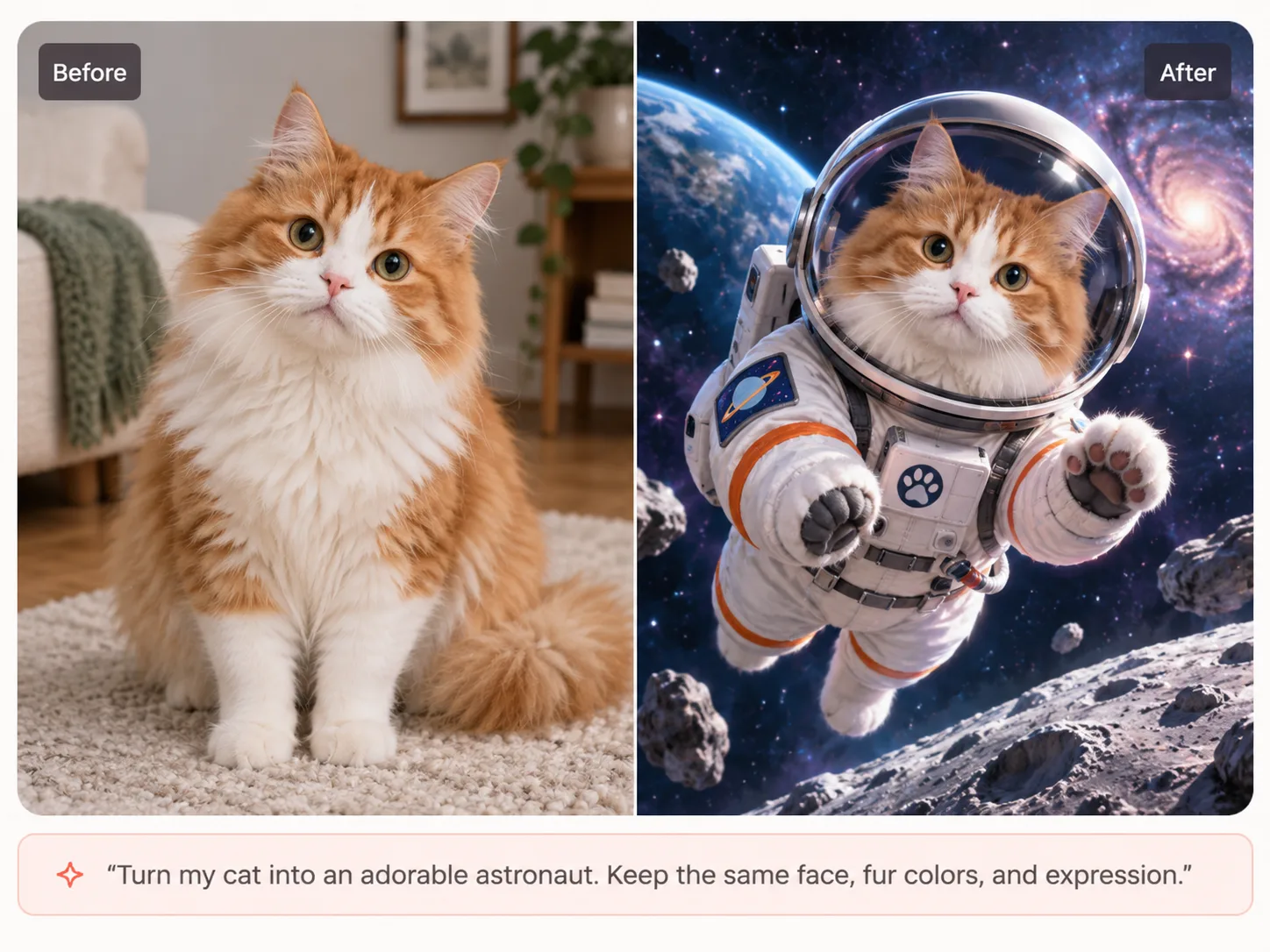
An image-to-image AI generator uses your existing photo or reference image as the visual starting point for a new image. Keep the subject, pose, product, or composition you want, then use a prompt to change the style, setting, lighting, outfit, materials, or other details. Explore the examples below and use the included prompts to recreate each transformation.

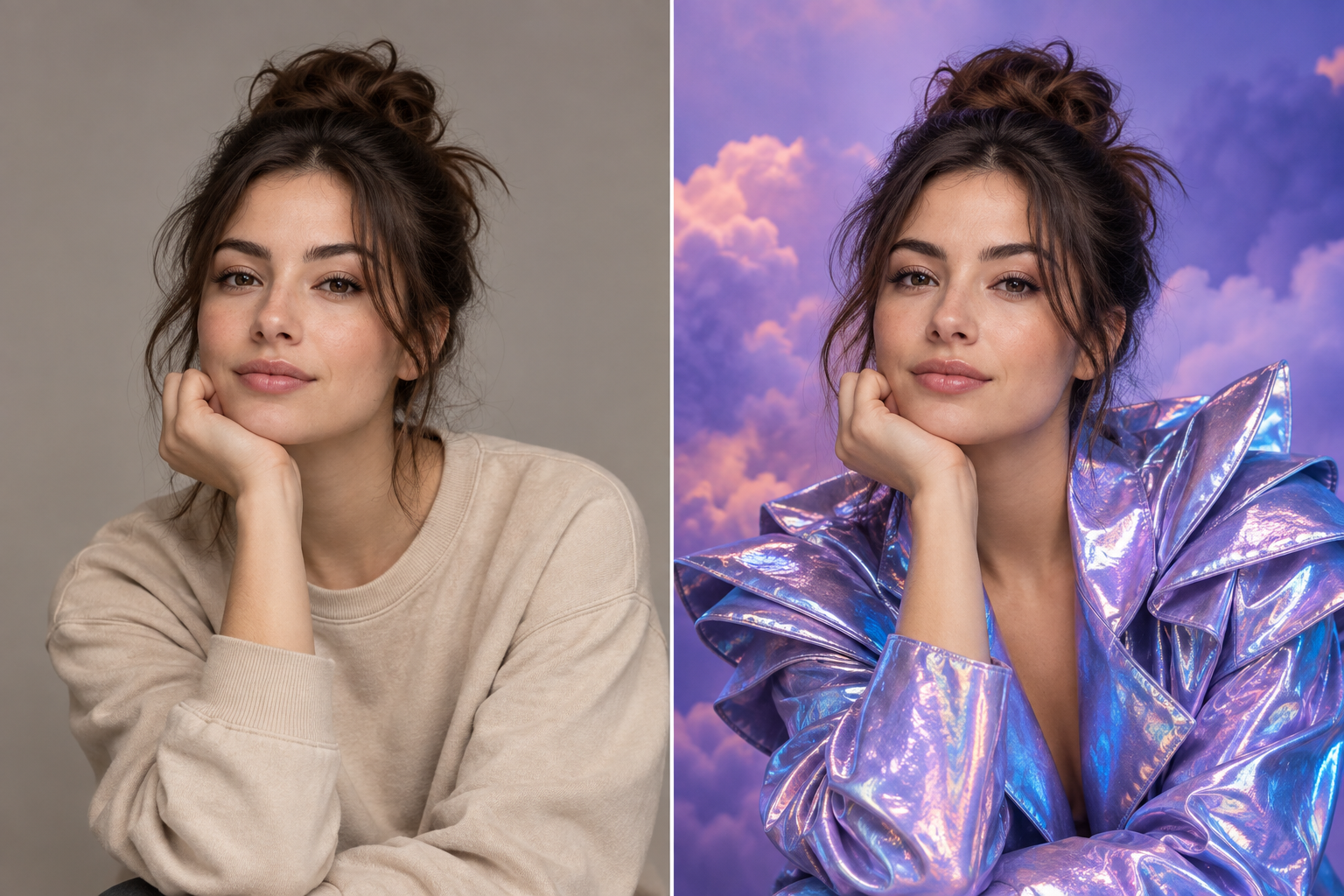
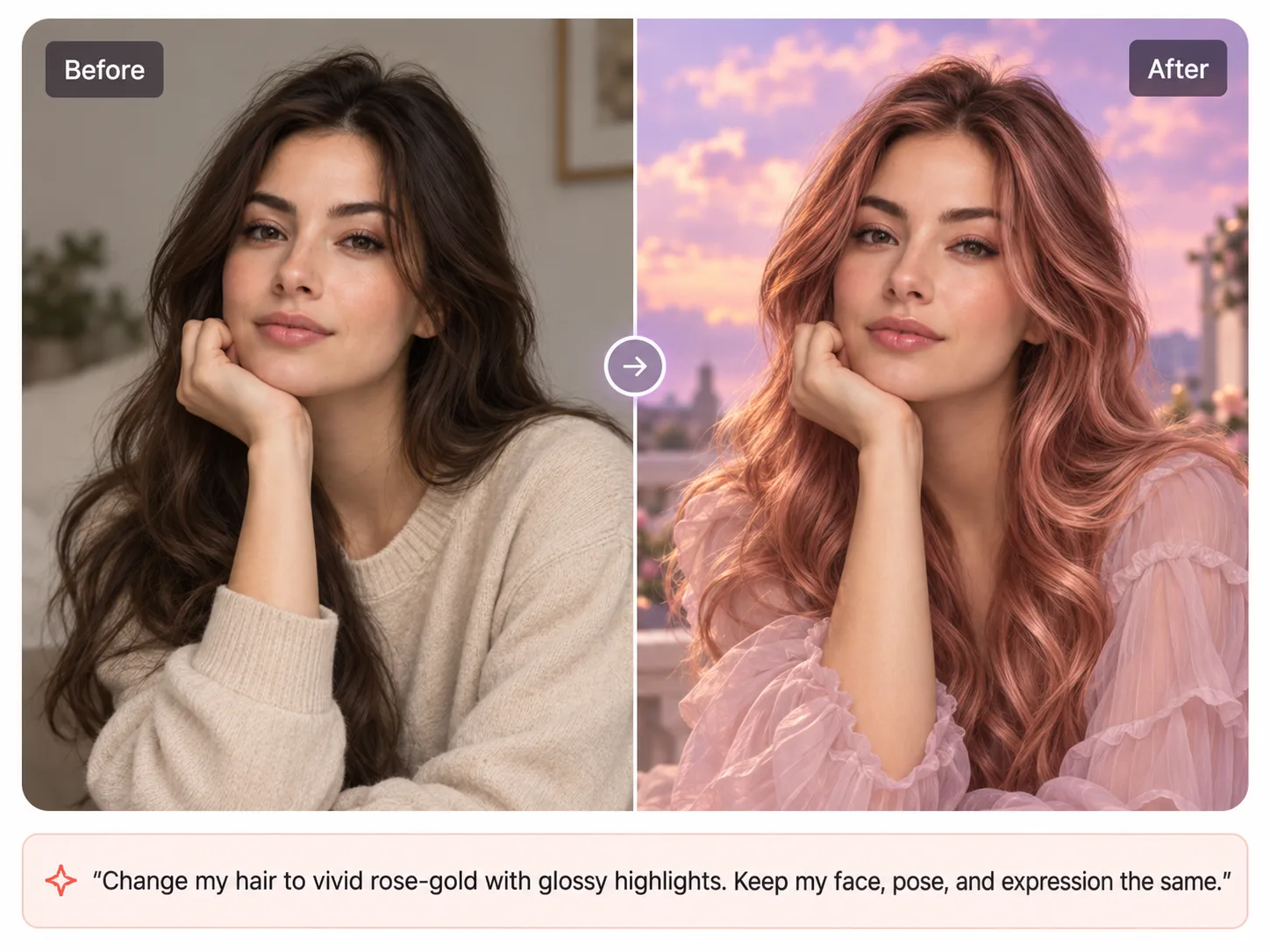
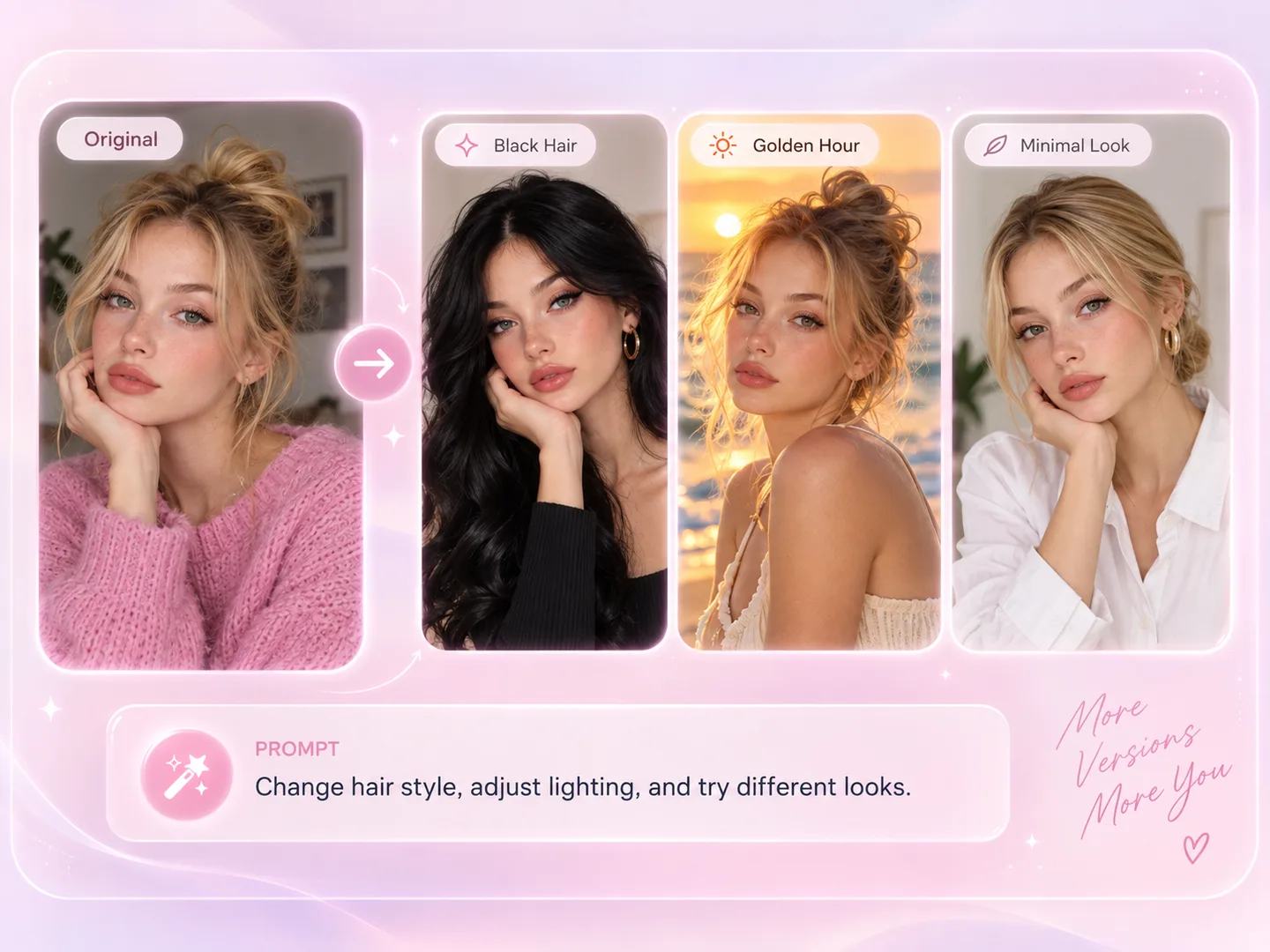
AI portrait restyle before and after: one selfie turned into black hair, golden-hour light, and a minimal look

Restyle a Portrait Without Losing the Person

Change the hairstyle, lighting, outfit, or setting while keeping the same face, expression, pose, skin tone, and camera angle.

PromptKeep the same face, expression, pose, skin tone, and camera angle. Create three new looks: long black hair with a polished fashion style, warm golden-hour lighting outdoors, and a clean minimal portrait. Keep the result photorealistic with natural skin texture.
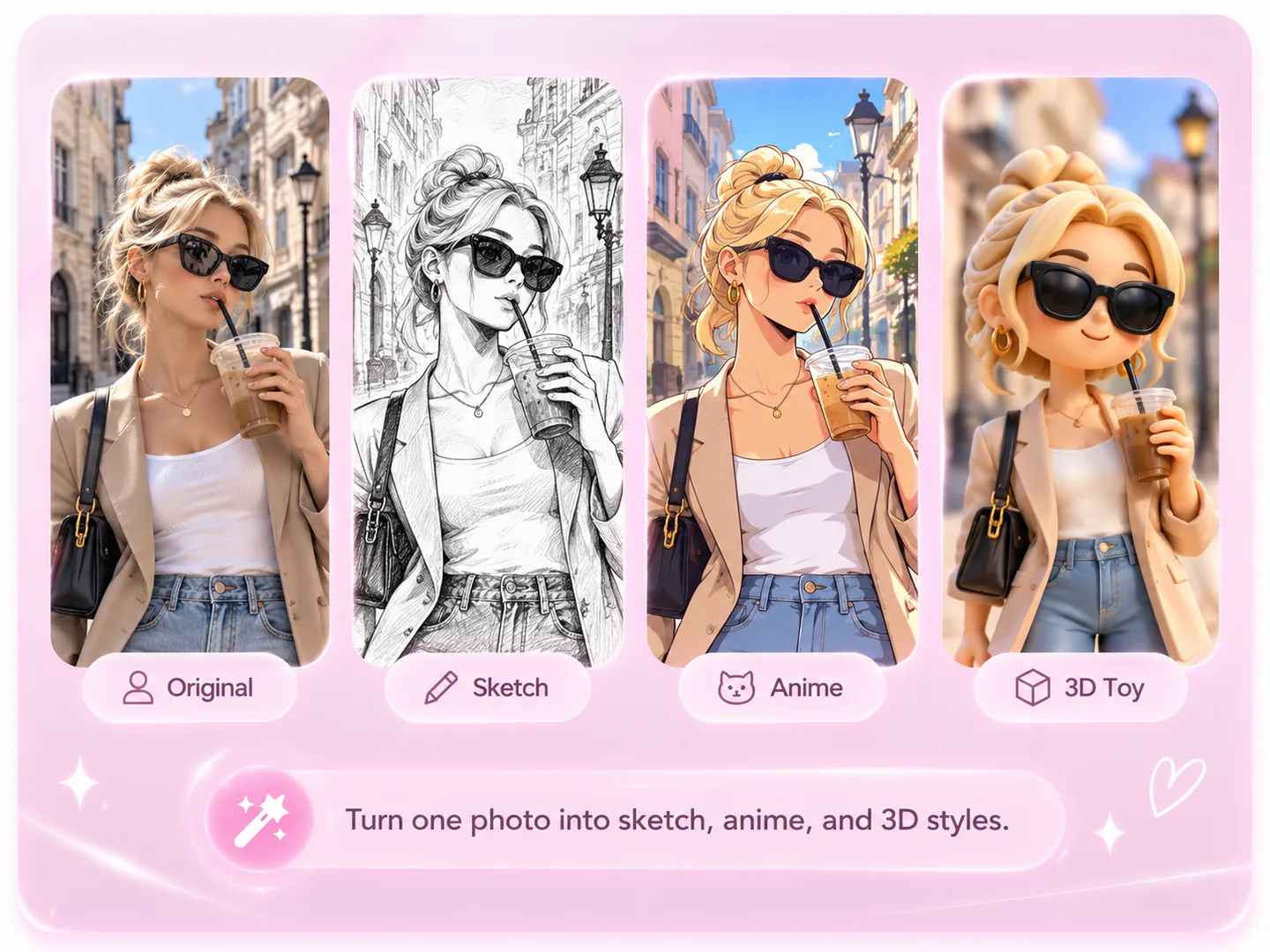
One photo turned into pencil sketch, anime, and 3D toy styles with image to image AI

Turn One Photo into Multiple Art Styles

Use the same reference photo to explore completely different visual styles while keeping the person, pose, outfit, and composition recognizable.

PromptUse this photo as the reference. Keep the same person, pose, outfit, accessories, and composition. Create three versions: a detailed pencil sketch, a colorful anime illustration, and a polished 3D toy-style character.
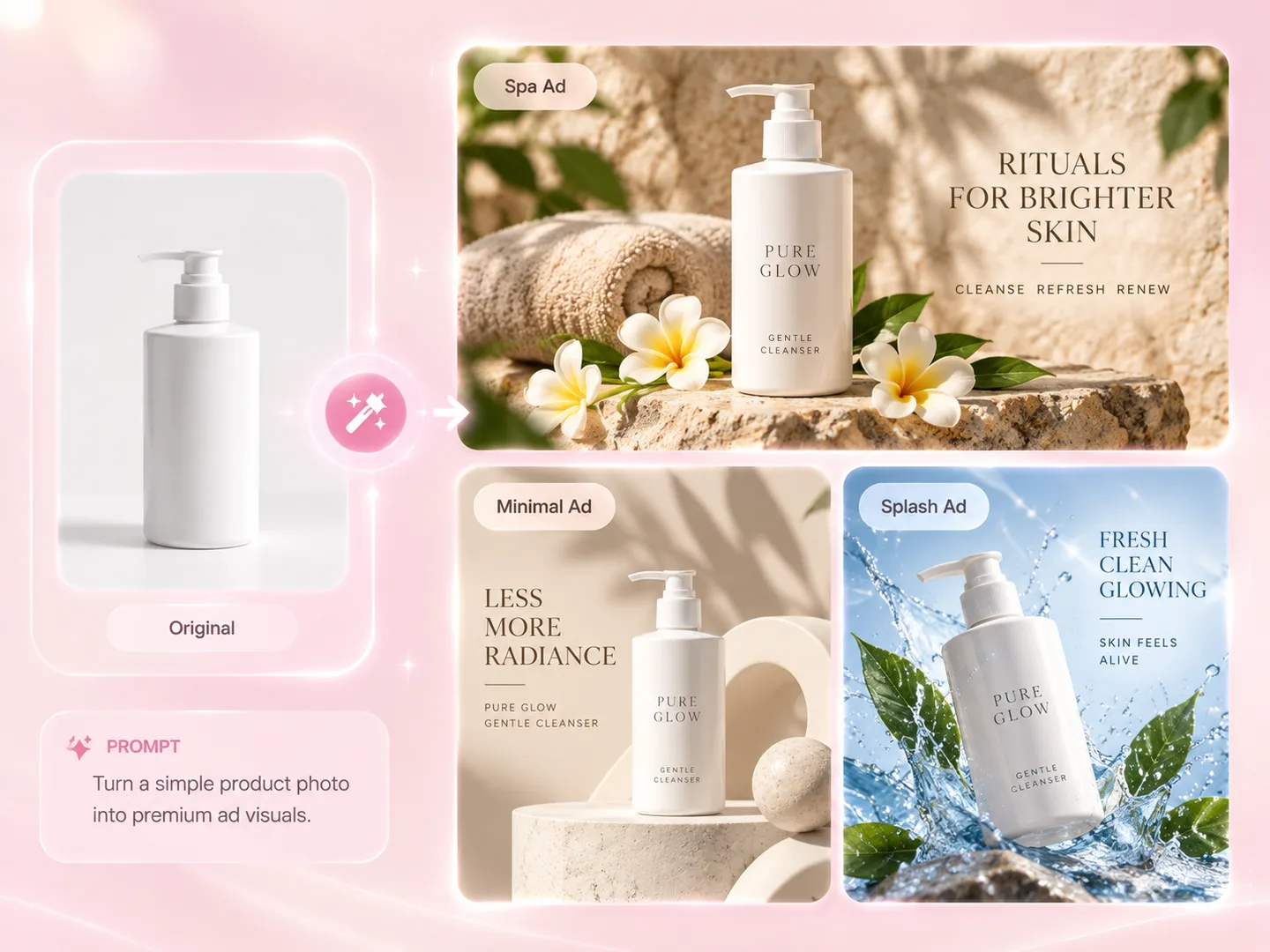
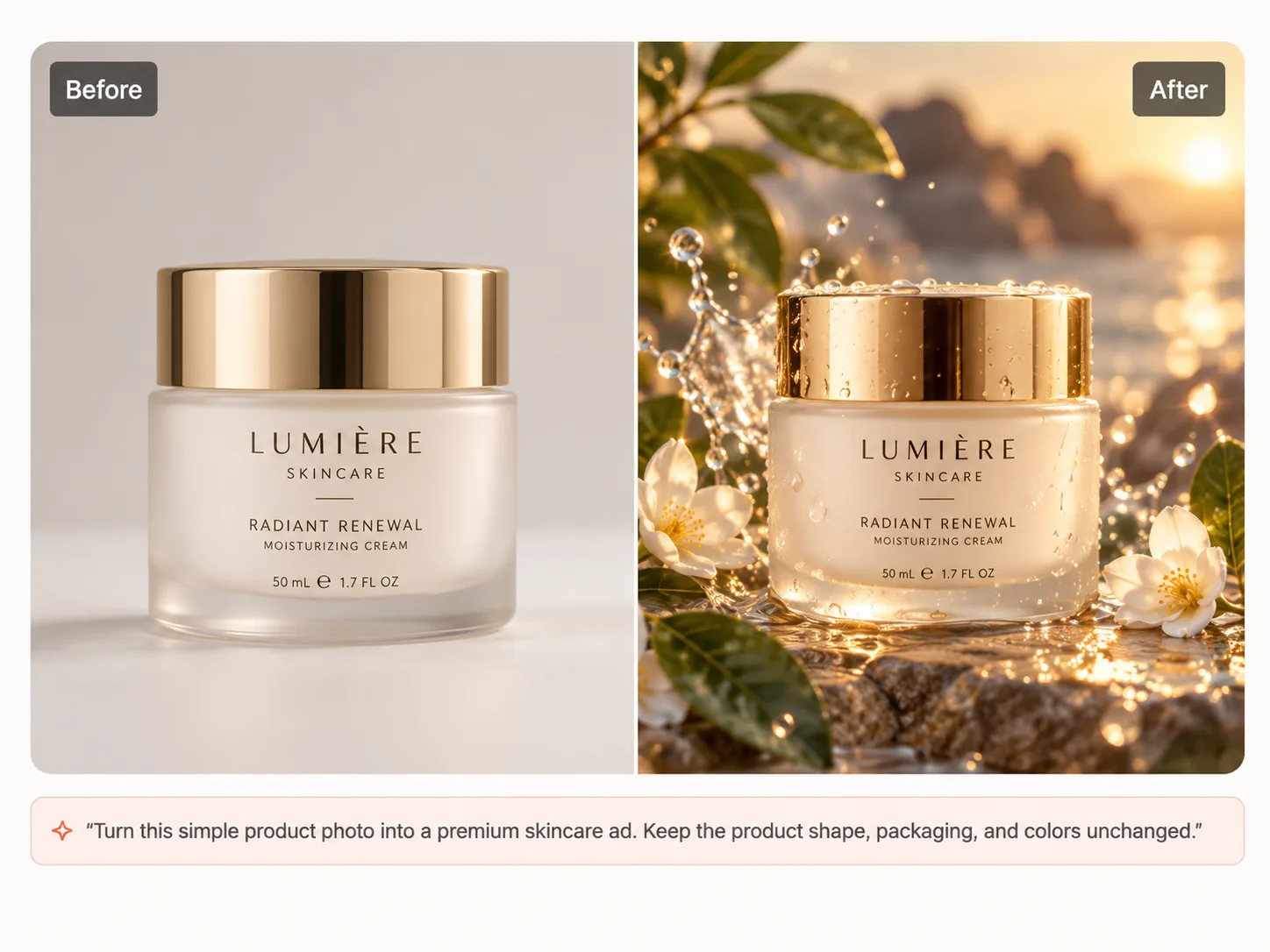
One product photo turned into spa, minimal, and water-splash ad creatives with AI

Turn One Product Photo into Multiple Ad Creatives

Start with a simple product shot and generate campaign-ready visuals for different moods, channels, and creative directions.

PromptKeep the exact product shape, proportions, packaging, and main design unchanged. Create three premium advertising scenes: a warm natural spa setting with stone and flowers, a clean minimalist studio campaign, and a fresh water-splash scene with bright daylight. Professional commercial product photography, realistic materials and lighting, no new logos or marketing claims.
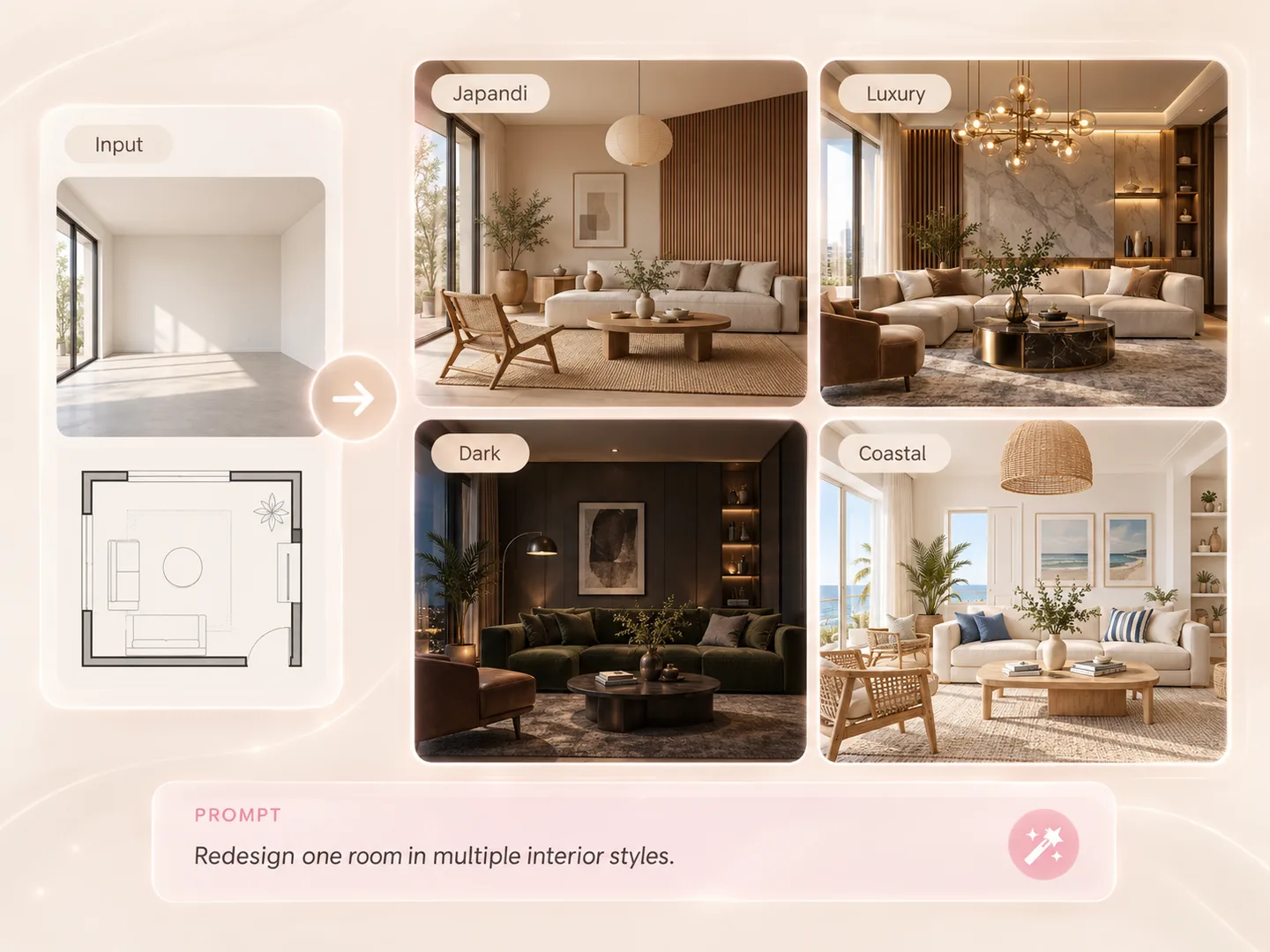
One room redesigned with AI in Japandi, luxury, dark, and coastal interior styles

Redesign One Room in Multiple Interior Styles

Keep the room layout and architecture recognizable while exploring different furniture, materials, lighting, and design directions.

PromptKeep the room dimensions, windows, doors, camera angle, and architectural structure unchanged. Redesign this room in four styles: warm Japandi, refined luxury, dark modern, and bright coastal. Add realistic furniture, materials, decor, and natural lighting appropriate to each style.
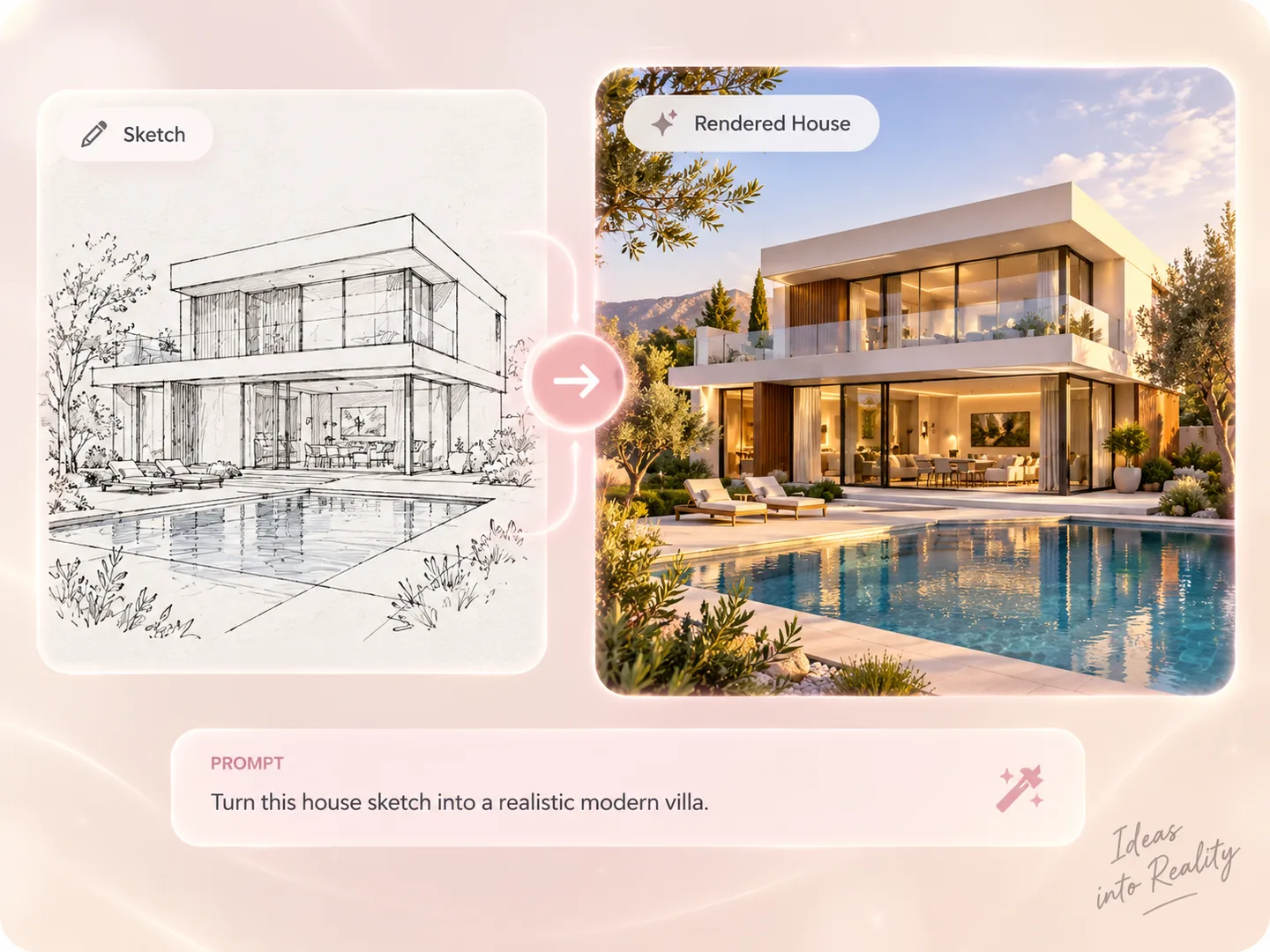
Architectural sketch turned into a photorealistic modern villa render with AI

Turn an Architectural Sketch into a Realistic Render

Use a sketch as the structure reference and transform the concept into a photorealistic architectural visualization.

PromptTurn this architectural sketch into a photorealistic modern villa. Preserve the building shape, proportions, window placement, pool, camera angle, and overall composition from the sketch. Use warm stone, glass, natural wood, realistic landscaping, soft late-afternoon sunlight, and high-end architectural photography.
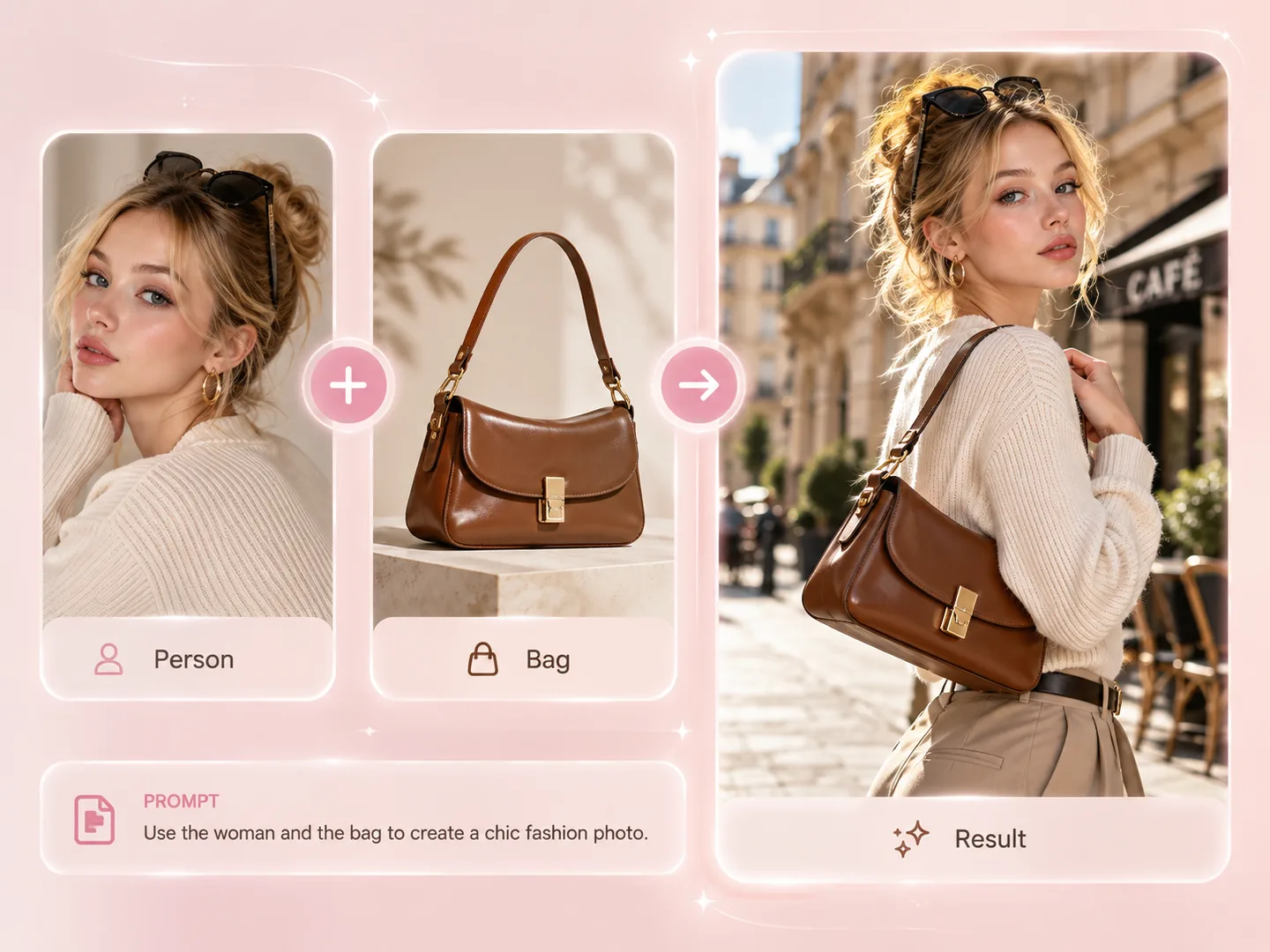
Person and handbag photos combined into one AI street-style fashion photo

Combine Multiple Images into One New Scene

Use separate photos of a person and a product as references, then combine them naturally into one polished image.

PromptUse image 1 as the person reference and image 2 as the handbag reference. Keep the same face, hairstyle, skin tone, and body proportions from image 1. Preserve the exact bag shape, brown leather color, strap, hardware, and proportions from image 2. Create a chic street-style fashion photo outside a Paris café in warm natural daylight.
More ideas to try:
Image to Image AI features

Image to Image AI Features for More Creative Control

More than a simple image converter: choose how the AI generates, review what changed, and keep refining the result in one online workspace. Sign up with Google or email to get 10 free credits.

See pricing and image credits
01

AI Generator with Image Input

Upload your own JPG, PNG, or WEBP and use it as the visual foundation for a new image.

02

Multi-Image Blending

Combine subjects, products, outfits, styles, or settings from multiple reference images into one new composition.

03

Prompt-Based Image Transformation

Describe what to change and what to preserve instead of rebuilding an image with manual editing tools.

04

Five AI Image Models

Choose GPT Image 2, Nano Banana 2, Nano Banana 2.1, Nano Banana PRO, or Ideogram 4.5 to balance cost, detail, and control.

05

High-Resolution 4K Output

Generate detailed 4K images for presentations, campaigns, product visuals, and other high-resolution uses.

06

Flexible Image Aspect Ratios

Keep the original ratio or create square, portrait, landscape, widescreen, and vertical images.

07

Adjustable Output Resolution

Select 1K, 2K, or 4K resolution to match a quick experiment or a more detailed final image.

08

Before-and-After Comparison

Switch between the source and generated result so you can judge exactly what the AI transformed.

09

Regenerate or Continue Editing

Create another variation, revise the prompt, or make the generated result the source for your next edit.

10

Full-Size Preview and Download

Open the finished image at full size, review recent versions, and download the result when it is ready.

Free to start

Every feature, free to try

Sign up with Google or email to get 10 free credits.

Create an image now

Supported AI Models and Credits per Image

ModelBest for1K2K4K
GPT Image 2Lowest-cost start for quick restyles and variations21050
Nano Banana 2Everyday photo edits at the same credits as 2.1101520
Nano Banana 2.1All-purpose edits, background swaps, and product variations101520
Nano Banana PRODemanding brand work and multi-character references202040
Ideogram 4.5Text, posters, and precise detail edits51035

Credits per generated image. The first reference image is included; each additional reference image adds 2 credits. For Ideogram 4.5, 1K / 2K / 4K correspond to Low / Medium / High quality.

How it works

How to Create an AI Image from a Photo

Upload your own photo or reference image, describe the transformation, and this online image to image converter handles the rest. The complete process takes three simple steps.

01

Upload One or More Reference Images

Add JPG, PNG, or WEBP images as visual references. Clear source images give the AI more useful detail to follow and blend.

02

Describe the AI Image Transformation

Write what should change, what to combine, and what should stay the same, such as the face, pose, product shape, or composition.

03

Generate and Download Your Image

Create a new image, compare the result with your references, then download it in high resolution or continue refining the prompt.

Before and after result made with the Image to Image AI generatorReference details preserved
“Keep the face, pose and camera angle unchanged”
Prompt-based Image to Image editing

Control Every AI Image Transformation with a Prompt

A strong prompt gives the AI two kinds of direction: what to transform and what to preserve. That turns your uploaded photo into a useful reference—not just a loose suggestion—and makes each result more intentional.

  • Preserve faces, poses, products, text placement, or layouts
  • Change the style, setting, color, lighting, clothing, or materials
  • Regenerate a variation or continue editing the result
Transform your image
Who can use Image to Image AI

Who Uses an Image to Image AI Generator?

If your work—or your feed—depends on images, an AI image transformer turns the photos you already have into the visuals you need.

01

E-commerce Sellers & Product Marketers

Turn one product photo into studio backgrounds, seasonal campaigns, and channel-ready ad creatives without booking a photoshoot.

02

Content Creators & Influencers

Turn one photo into sketch, anime, 3D, and restyled posts so the feed stays fresh between shoots.

03

Anyone Refreshing Personal Photos

Try new hair colors, lighting, and looks on your own selfies while the face and expression stay the same.

04

Interior Designers & Decor Brands

Show clients one room in Japandi, luxury, dark, or coastal directions before buying a single piece of furniture.

05

Architects & Real Estate Teams

Turn sketches, floor plans, and empty rooms into realistic renders for pre-sales and client presentations.

06

Fashion Brands & Online Boutiques

Create model shots carrying your actual products—bags, outfits, accessories—without hiring a model or studio.

Image to Image AI FAQ

Image to Image AI Generator FAQ

Quick, specific answers about using an AI image generator with your own image.

Image-to-image AI, also known as img2img, uses an existing photo or reference image together with your text instructions to generate a new image. Unlike text-only image generation, it can follow visual information from the original image—such as the subject, face, pose, composition, colors, or product shape—while transforming the details you describe.

More tools

Explore More AI Image Tools

Choose the right tool for your next creative step.All AI Image Tools →

Create Your Next Image from This One

Upload a reference image, describe your idea, and let the Image to Image AI generator bring it to life.

Create an image free